ARE MY PROJECTS PROFITABLE?
Every hour tracked, every hour billed.
Your team logs time against orders and tasks. You follow each project against its budget in real time, and turn validated hours into invoices and payslips automatically.
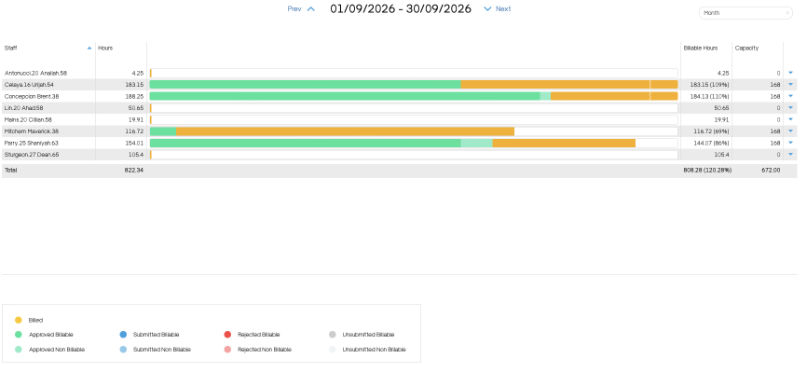
Your team logs time against orders and tasks. You follow each project against its budget in real time, and turn validated hours into invoices and payslips automatically.
01
Log
Employees enter time in My Timesheets, on desktop or mobile, against the orders and tasks open to them.
02
Validate
Managers review and validate each timesheet, with a team overview in Team Review.
03
Invoice
Validated hours become sales invoices automatically, at each task's own rate or as a flat fee.
04
Pay
For hourly staff, the same timesheets generate their payslips.
Project budgets in hours and rates, followed in real time
Billable and non-billable time by employee, task, client or project
Order-specific tasks with their own prices
Timesheet and flat-rate timesheet order lines
Validation of each employee’s timesheets, and Team Review
Automatic sales invoices from timesheets
Automatic payslips from timesheets
Expenses linked to orders, with billed and unbilled status
All timesheets and expenses of an order in one place
Profitability report for orders
Analytical reporting by project, client or division
Allocation rules to split shared costs across projects
Related: Budgets · Receivables and late notices