AM I ON BUDGET?
Plan the year. Steer it every month.
Set budgets by account, by month and by cost centre, then compare them with your live actuals and with last year, without a single spreadsheet.
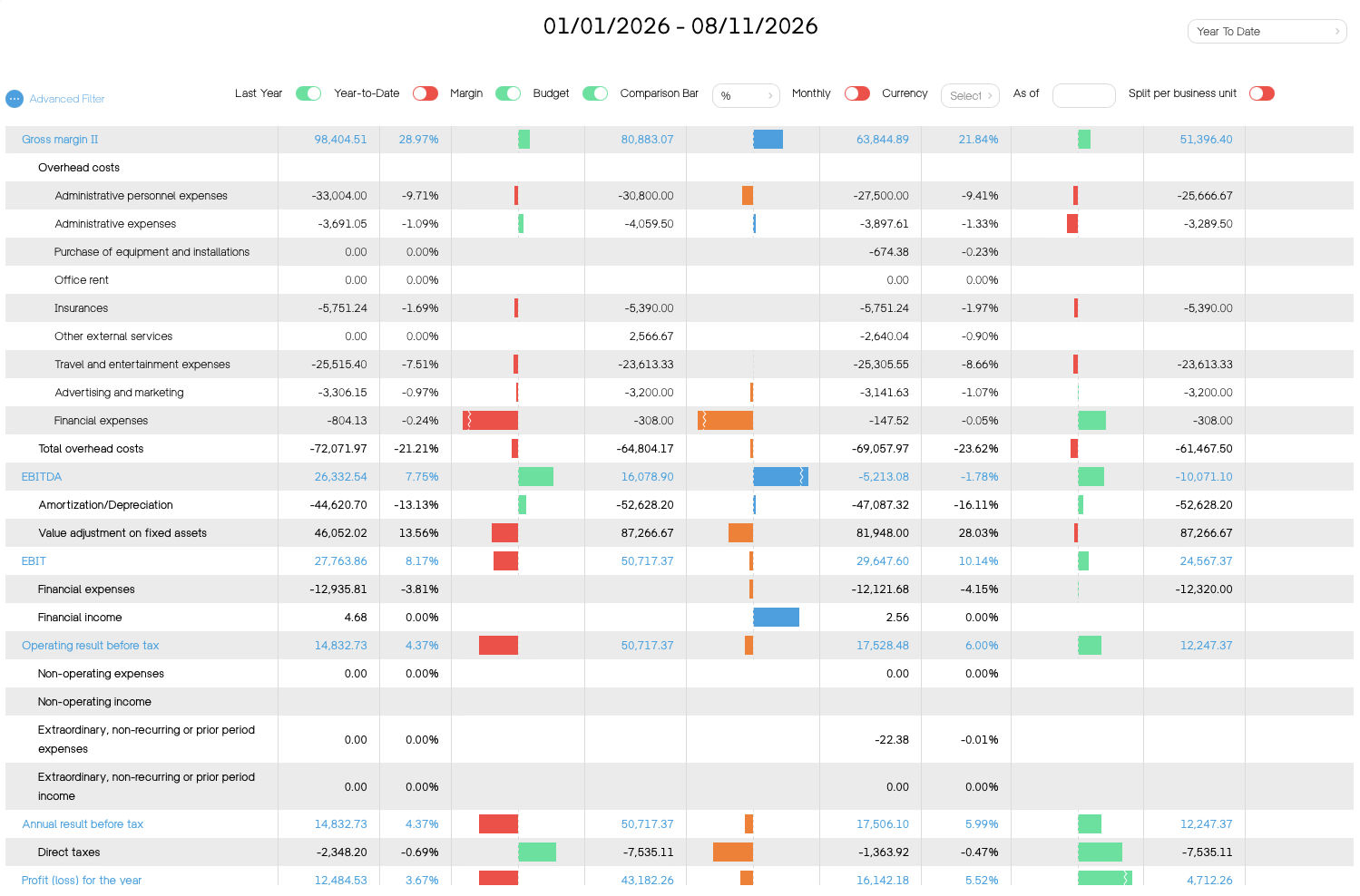
Set budgets by account, by month and by cost centre, then compare them with your live actuals and with last year, without a single spreadsheet.
01
Build it your way
Annual or monthly, by account or account class, with sub-budgets for each cost centre, project or division.
02
Compare live
Every invoice and expense updates your actuals immediately. See budget, actual and last year side by side, at any level of detail.
03
Allocate shared costs
Allocation rules split rent, IT or management costs across cost centres by key or percentage, so each budget carries its real share.
Multiple budgets per fiscal year
Budgets by account and/or account class
Annual and/or monthly budgets
Sub-budgets by analytical section
Actuals compared with budget and with last year
Excel download and upload of budgets
Allocation rules for shared costs
Financial ratio reports, compared with the previous period
Related: Timesheets and projects · Group consolidation