WHO OWES ME MONEY?
Get paid on time, without the chasing.
See every open and overdue invoice at a glance, send late notices to all your clients in one go, and stop new work for clients who are over their limit.
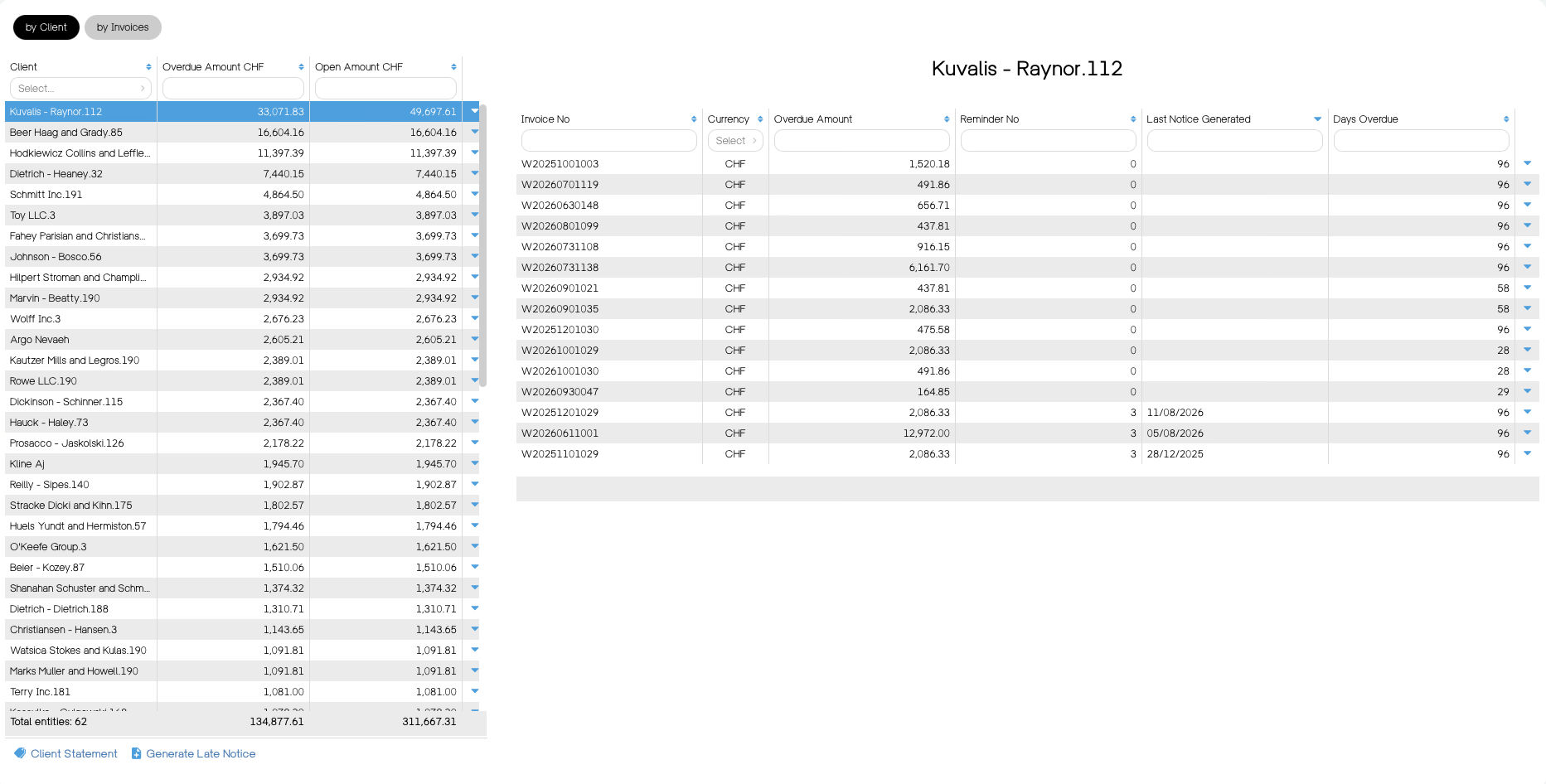
See every open and overdue invoice at a glance, send late notices to all your clients in one go, and stop new work for clients who are over their limit.
01
See who's late
Overdue invoices by client or invoice, oldest first, with the total overdue per currency. Payments reconcile automatically, so the list is always current.
02
Remind in one click
Generate the next notice level for all selected invoices and email them in bulk. Clients without an email get a ready-to-print PDF.
03
Fees added for you
Set a fee per notice level once. Wyzio adds it to the invoice automatically, with the right VAT and currency.
CREDIT LIMITS
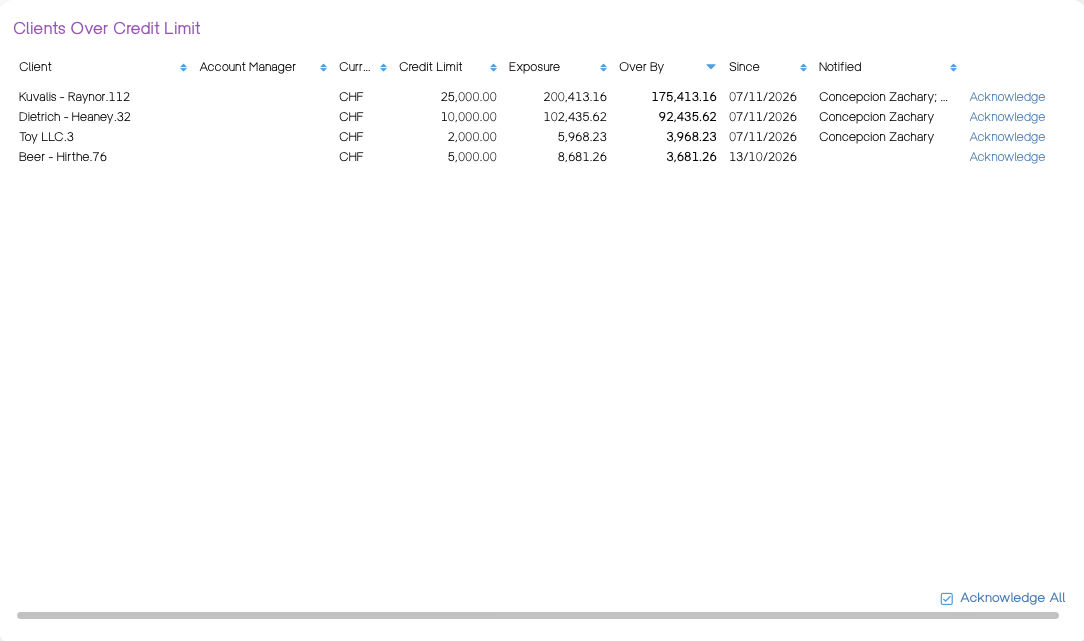
Give each client a credit limit. Once their overdue invoices reach it, Wyzio blocks new orders and timesheets for that client until they pay.
Late notices by client or by invoice, oldest first
Overdue total per currency
Bulk sending by email, PDF for the rest
Automatic late notice fees per level
Client credit limits that block new orders and timesheets
Client notes that warn you when invoicing
Balance tab and full transaction history per client
Automatic matching of payments, including partial payments and bank charges
QR-bills on every invoice
Automatic emailing and recurring billing
Weighted average receivables on your dashboard
Schedule of invoices to collect
Related: Cash forecast · Timesheets and projects